
TOOLS NEEDED:
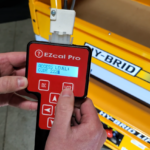
- EZcal Pro (part no. ELEC-646-5)
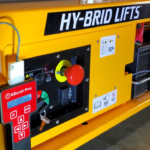
Calibrating tilt on a Hy-Brid Lifts Pro Series scissor lift is easy with the EZcal Programmer. Once your EZcal Pro is connected to your machine, start at the main menu.
- Scroll right to “Access Level 3” and press “Enter.”
- Enter your code “2222” and press “Enter.”
- Scroll right to “Setups” and press “Enter.”
- Scroll right to “Tilt Setups” and press “Enter.”
- Select “Calibrate Level” pressing “Enter.”
- Press “Enter” for “Yes.”
Once you’ve calibrated the tilt on your scissor lift, hit “Escape” to go back to the main menu of your EZcal Pro.