
How to Start an HB-1430 Scissor Lift
- Check that the work area is safe.
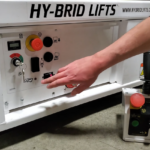
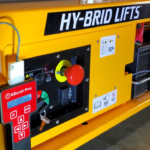
- Check that the master power switch is inserted and in the “ON” position.
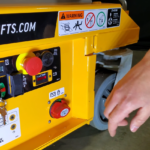
- Ensure that the key in the lower control panel is inserted and the key switch in the “ON” position.
- Disengage the emergency stop on the base control panel by pulling it towards you.
- Make sure the scissor lift is on a hard, level surface.
- Enter the work platform in the stowed position using the constant three point contact method.
- Disengage the emergency stop on the upper controls by twisting it clockwise.
Your Hy-Brid HB-1430 scissor lift is now ready for operation.
How to Start an HB-1230 Scissor Lift
- Check that the work area is safe.
- Check that the master power switch is inserted and in the “ON” position.
- Ensure that the key in the lower control panel is inserted and the key switch is in the “ON” position for the upper or lower controls. The key should be removed when the upper control location is selected to prevent unauthorized operation from the ground.
- Disengage the emergency stop on the lower control panel by pulling it towards you.
- Make sure the scissor lift is on a hard, level surface.
- Enter the work platform in the stowed position using the constant three point contact method.
- Disengage the emergency stop on the upper controls by twisting it clockwise.
- Ensure operation switch is in the correct “lift” or “drive” position.
Your Hy-Brid HB-1230 scissor lift is now ready for operation.